Skip to main content
Daelys
EN
Compliance
Pricing
Log in
Sign up for free
Sign up for free
Daelys
Compliance
Pricing
Log in
EN
Sign up for free
Installation guide by CMS
WordPress
Shopify
Wix
Webflow
Squarespace
PrestaShop
WooCommerce
Elementor
Tilda
Duda
Joomla
Framer
Weebly
HubSpot
1
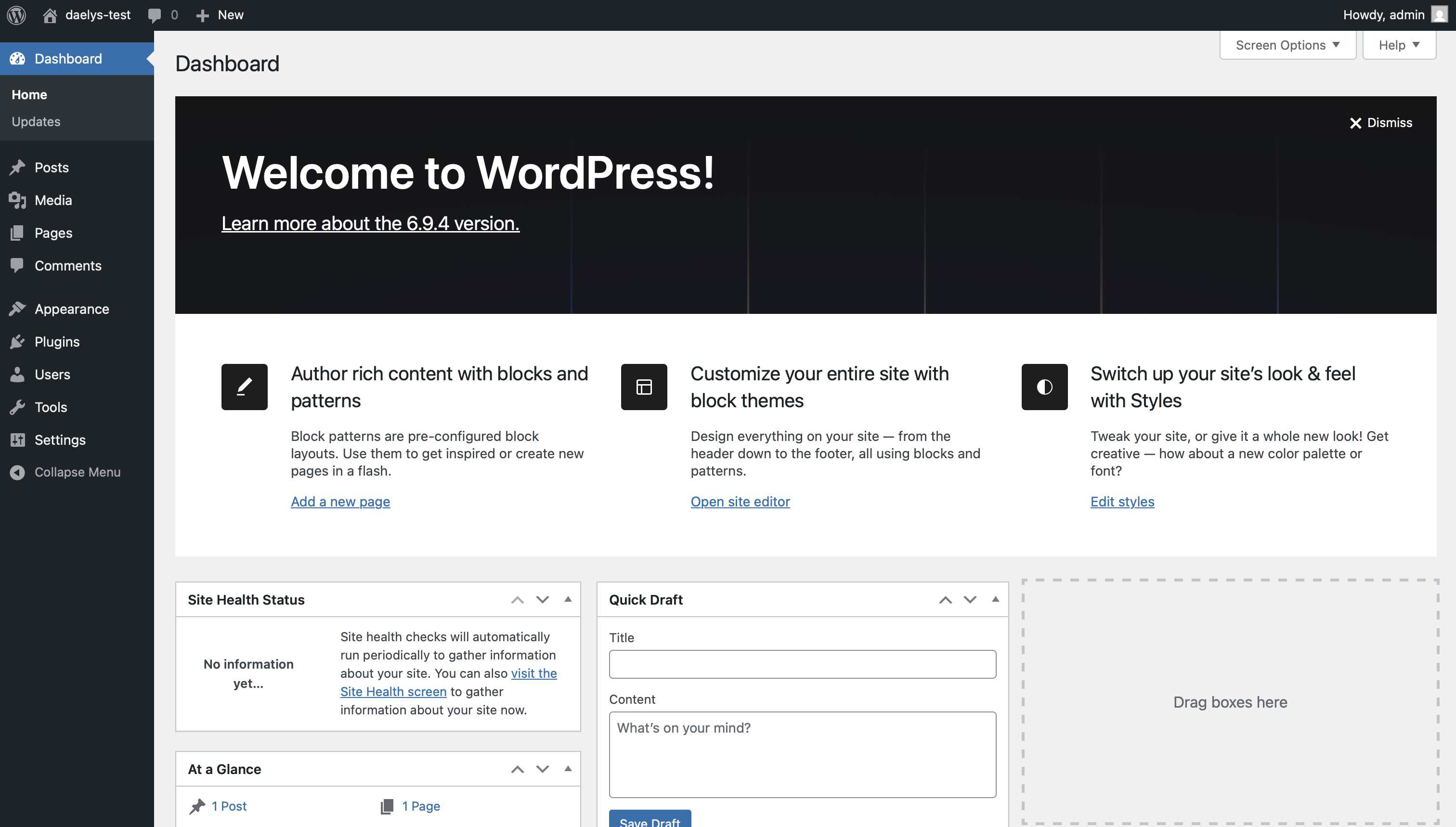
Log in to your WordPress
Sign in at /wp-admin and open your dashboard.
2
Upload the Daelys plugin
In the left menu, click Plugins then Add Plugin.
You land on the WordPress plugin gallery.
At the top, click Upload Plugin, then Choose File and select daelys.zip.
3
Activate the plugin
Click Install Now to install daelys.zip.
Once installed, click Activate Plugin.
Daelys appears in your list with the Active label.
4
Check the widget on your site
Open your site in a new tab. A blue button appears in the bottom right. Installation is complete.
Create my free account
My CMS is not listed